Trailer
Price History
No price history yet. Data is collected daily.
VR180 SyncPro
Chunbo Zhao • Video Production
1 955 ₽
2 300 ₽
-15%
Price in Russia
Best price: 59 ₽
(Turkey (TRY))
App ID: 4646160 • Available on Steam
Release Date
24 May 2026
Genre
Video Production
Platform
Windows
Details
Platforms
Windows
Languages
английский, китайский (упр.)
Features
Можно играть без QTE
Сохранение в любое время
Стереозвук
System Requirements
Minimum
ОС: windows 11
Процессор: Core i5-12600 equivalent or greater
Оперативная память: 16 GB ОЗУ
Видеокарта: GTX1060 6GB
DirectX: версии 11
Место на диске: 100 GB
Поддержка VR: OpenXR-Compatible VR Devices
Дополнительно: VR Preview and Hardware Requirements Start VR180 SyncPro in desktop mode. For Meta headsets, open Meta Horizon Link, go to Settings, and find OpenXR Runtime. If Meta Horizon Link is not currently active, click Set Meta Horizon Link as active. After it is set successfully, the interface should show: Meta Horizon Link is set as the active OpenXR Runtime. When using SteamVR as the OpenXR runtime, open SteamVR Settings and go to OpenXR in the left sidebar. Check Current OpenXR Runtime:. If it is not SteamVR, click Set STEAMVR as OPENXR Runtime. After the OpenXR runtime is set, return to the VR180 SyncPro main interface and press V to start VR Preview. Video export requires GPU hardware encoding support, including NVIDIA NVENC, Intel QSV, or AMD AMF. VR Preview requires sufficient hardware decoding and VR rendering performance. NVIDIA GTX 10xx / RTX 20xx or newer is recommended.
Recommended
ОС: windows 11
Процессор: Core i7-14700 equivalent or greater
Оперативная память: 32 GB ОЗУ
Видеокарта: RTX4060 8GB
DirectX: версии 11
Место на диске: 200 GB
Поддержка VR: OpenXR-Compatible VR Devices
Дополнительно: VR Preview and Hardware Requirements Start VR180 SyncPro in desktop mode. For Meta headsets, open Meta Horizon Link, go to Settings, and find OpenXR Runtime. If Meta Horizon Link is not currently active, click Set Meta Horizon Link as active. After it is set successfully, the interface should show: Meta Horizon Link is set as the active OpenXR Runtime. When using SteamVR as the OpenXR runtime, open SteamVR Settings and go to OpenXR in the left sidebar. Check Current OpenXR Runtime:. If it is not SteamVR, click Set STEAMVR as OPENXR Runtime. After the OpenXR runtime is set, return to the VR180 SyncPro main interface and press V to start VR Preview. Video export requires GPU hardware encoding support, including NVIDIA NVENC, Intel QSV, or AMD AMF. VR Preview requires sufficient hardware decoding and VR rendering performance. NVIDIA GTX 10xx / RTX 20xx or newer is recommended.
Steam Regional Prices
Save up to 1 896 ₽
1
🇹🇷 Turkey (TRY)
BEST
-97%
28.25 24.01 TRY
-15%
59 ₽
2
🇺🇦 Ukraine (UAH)
-20%
1,150.00 977.00 UAH
-15%
1 570 ₽
3
🇷🇺 Russia (RUB)
YOU
2,300.00 1,955.00 RUB
-15%
1 955 ₽
4
🇧🇷 Brazil (BRL)
+13%
184.99 157.24 BRL
-15%
2 213 ₽
5
🇺🇸 USA (USD)
+86%
59.99 50.99 USD
-15%
3 629 ₽
6
🇪🇺 Europe (EUR)
+142%
61.99 52.69 EUR
-15%
4 725 ₽
7
🇰🇿 Kazakhstan (KZT)
+570%
15,400.00 13,090.00 KZT
-15%
13 090 ₽
| # | Region | Price | In RUB | Discount | vs RU |
|---|---|---|---|---|---|
| 1 | 🇹🇷 Turkey (TRY) BEST PRICE | 28.25 24.01 TRY | 59 ₽ | -15% | -97% |
| 2 | 🇺🇦 Ukraine (UAH) | 1,150.00 977.00 UAH | 1 570 ₽ | -15% | -20% |
| 3 | 🇷🇺 Russia (RUB) YOUR REGION | 2,300.00 1,955.00 RUB | 1 955 ₽ | -15% | -- |
| 4 | 🇧🇷 Brazil (BRL) | 184.99 157.24 BRL | 2 213 ₽ | -15% | +13% |
| 5 | 🇺🇸 USA (USD) | 59.99 50.99 USD | 3 629 ₽ | -15% | +86% |
| 6 | 🇪🇺 Europe (EUR) | 61.99 52.69 EUR | 4 725 ₽ | -15% | +142% |
| 7 | 🇰🇿 Kazakhstan (KZT) | 15,400.00 13,090.00 KZT | 13 090 ₽ | -15% | +570% |
Prices updated: 28.05.2026 18:33 MSK
You can save 1 896 ₽ (97%)
The best price for VR180 SyncPro is available in Turkey (TRY). Buy through our service for 59 ₽ instead of 1 955 ₽.
Buy VR180 SyncPro for 59 ₽
Compare top-up services and choose the best option to buy this game at the lowest price.
About VR180 SyncPro
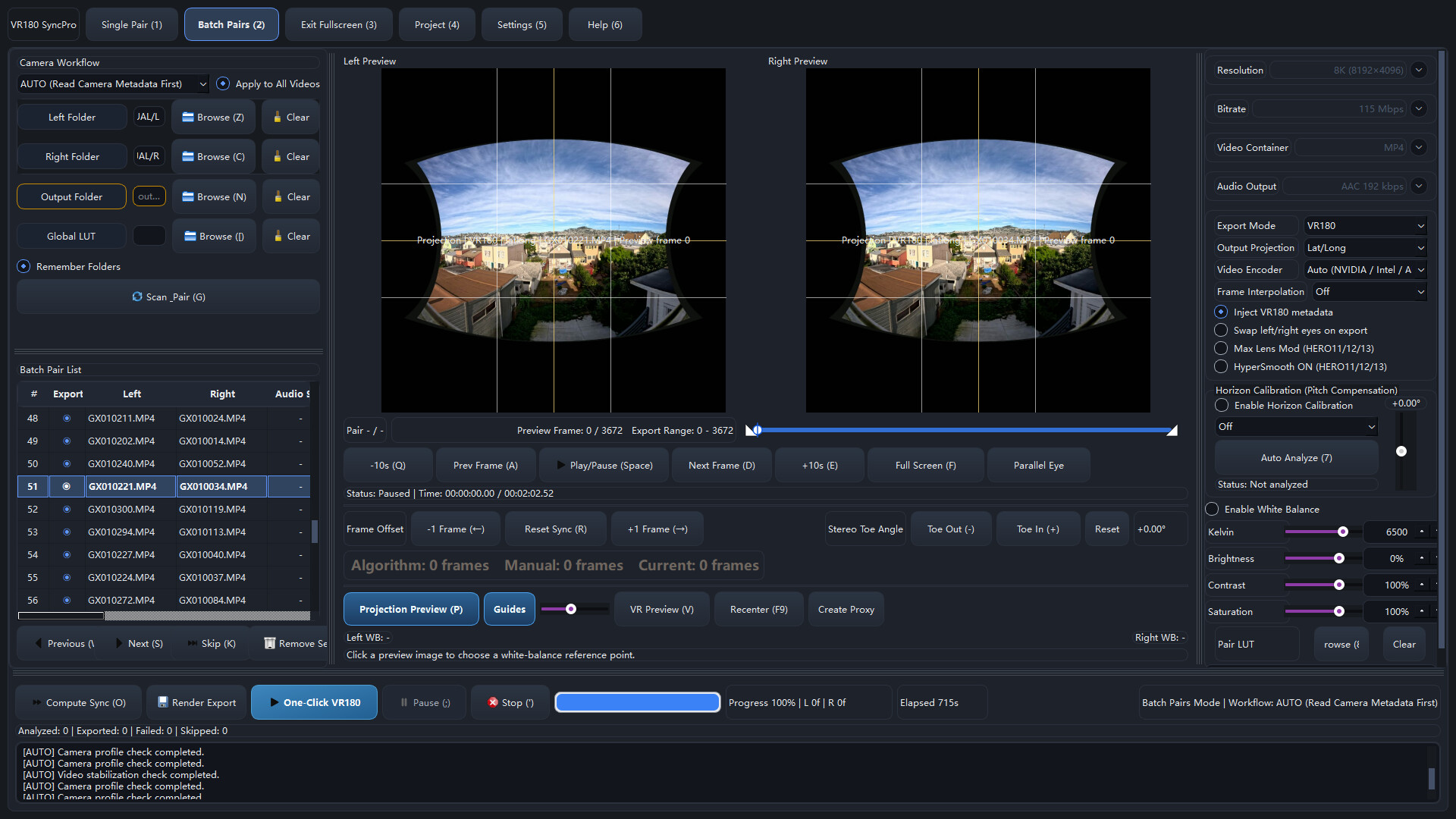
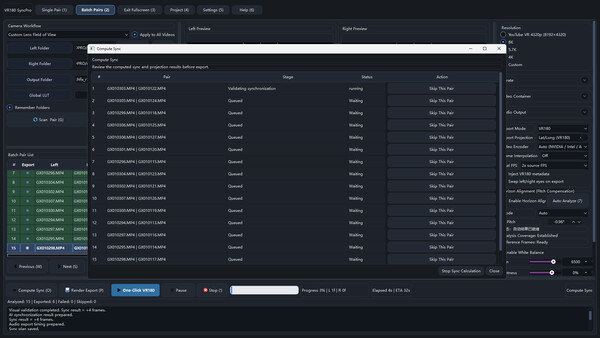
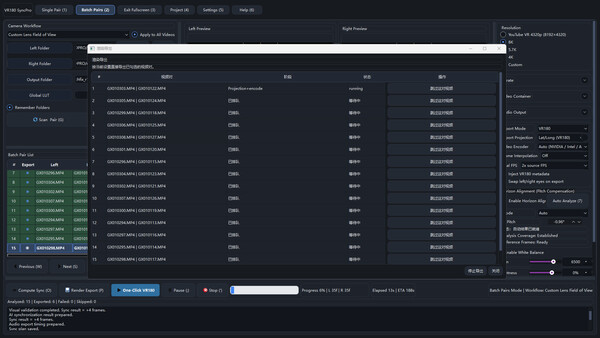
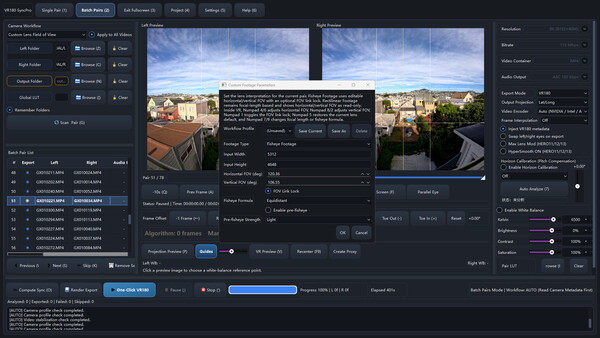
VR180 SyncPro — программа постобработки для VR180 с двумя камерами. Она сопоставляет левое/правое видео, синхронизирует, корректирует горизонт, калибрует проекцию, дает VR-предпросмотр, экспортирует с ИИ, обрабатывает пакеты и пишет метаданные VR180.
Reviews of VR180 SyncPro
0
0 reviews
5
0
4
0
3
0
2
0
1
0
Leave a Review
Share your experience with this game
Similar Games
-75%
Action! - Gameplay Recording and Streaming
515 ₽
128 ₽

HudSight - crosshair overlay
250 ₽
Stream Avatars
550 ₽
FPS Monitor – hardware in-game & desktop overlays
450 ₽

VEGAS Pro 18 Edit Steam Edition
7 990 ₽
Beam Eye Tracker
1 100 ₽

RutonyChat
799 ₽

MovieMator Video Editor Pro - Movie Maker, Video Editing Software
360 ₽
SVFI
1 200 ₽

VEGAS Movie Studio 17 Platinum Steam Edition
4 300 ₽

PlayClaw 5 - Game Recording and Streaming
465 ₽
Screenbits - Screen Recorder
550 ₽